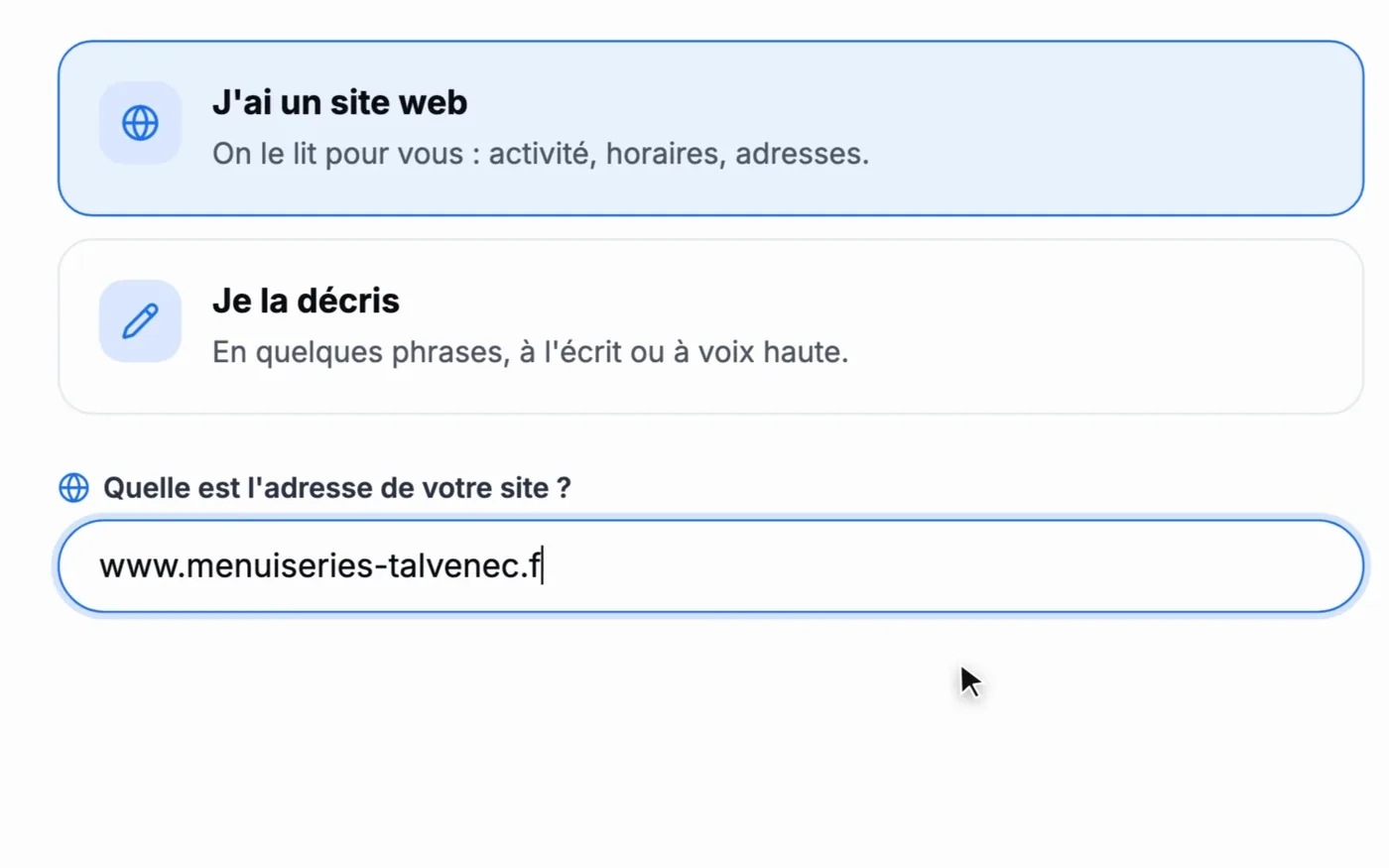
Create your agent
Enter your website address, or describe your business in a few sentences. Fairwai suggests a name, a greeting and a voice.
You keep your number and your carrier. The agent stays off until you turn it on.
Enter your website address, or describe your business in a few sentences. Fairwai suggests a name, a greeting and a voice.
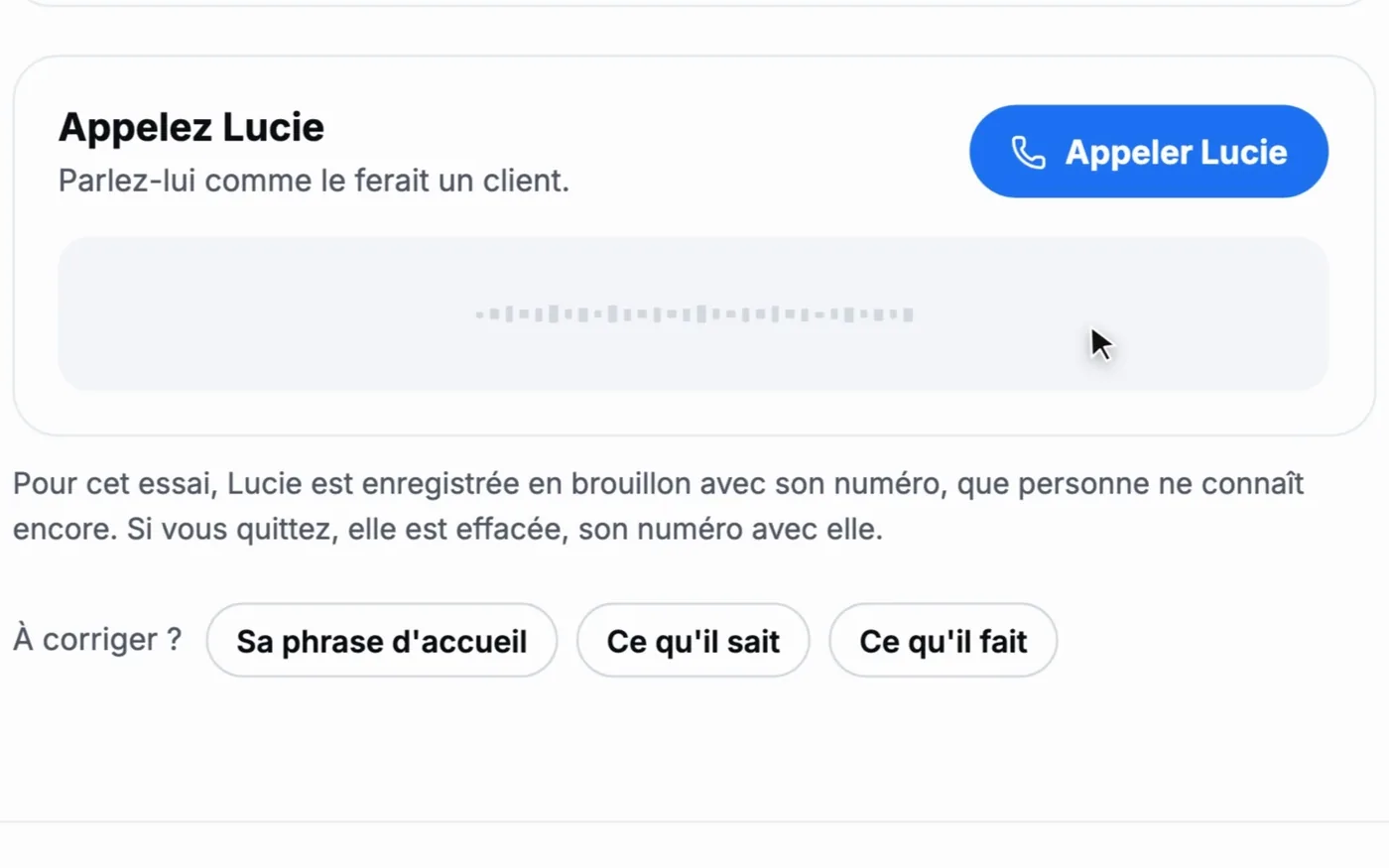
Call it from your browser, the way a customer would. Add your documents and fine-tune its greeting, what it knows or what it does.
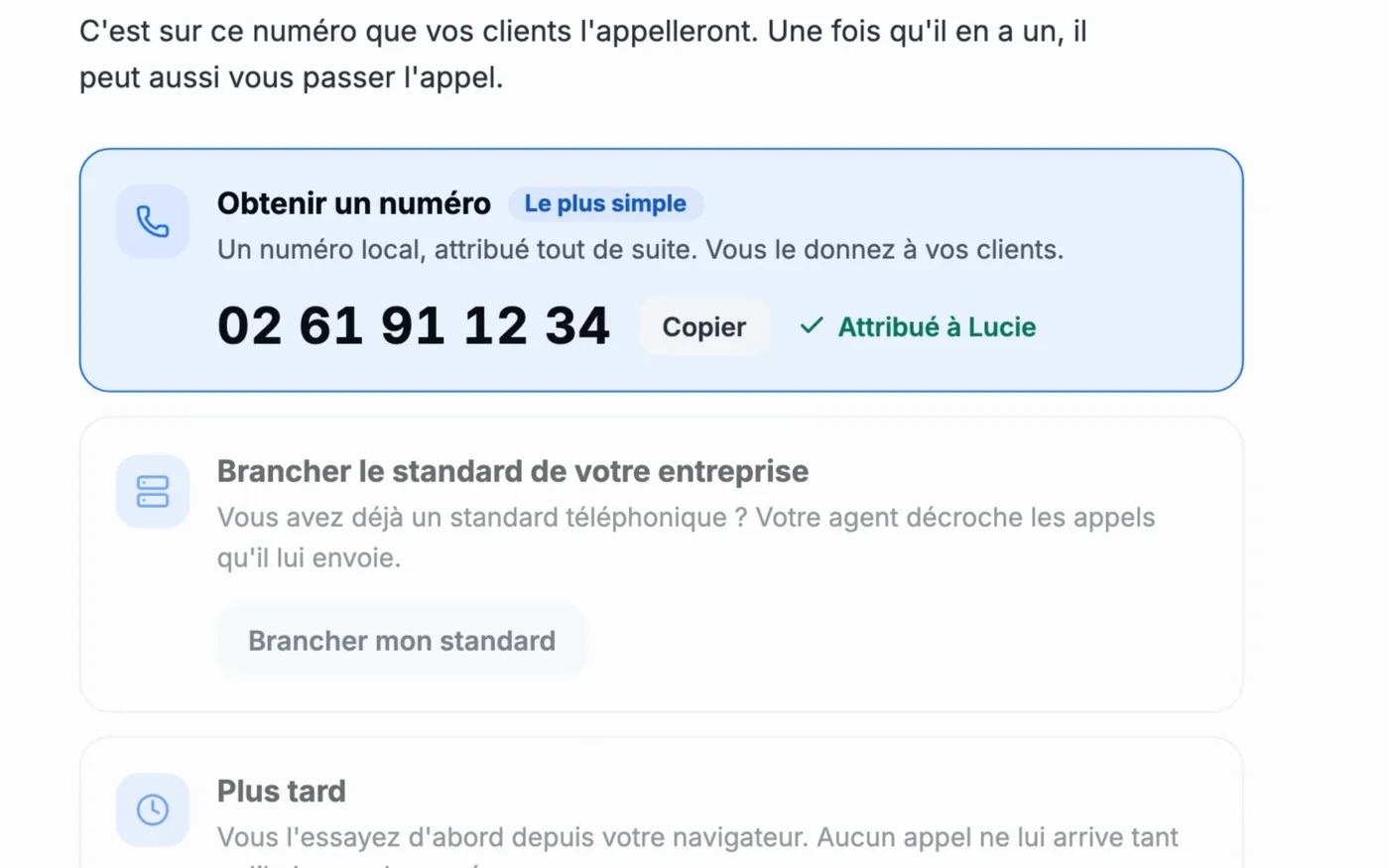
Get a local number assigned right away, connect your phone system, or forward your calls: all of them, or only the ones nobody answers.
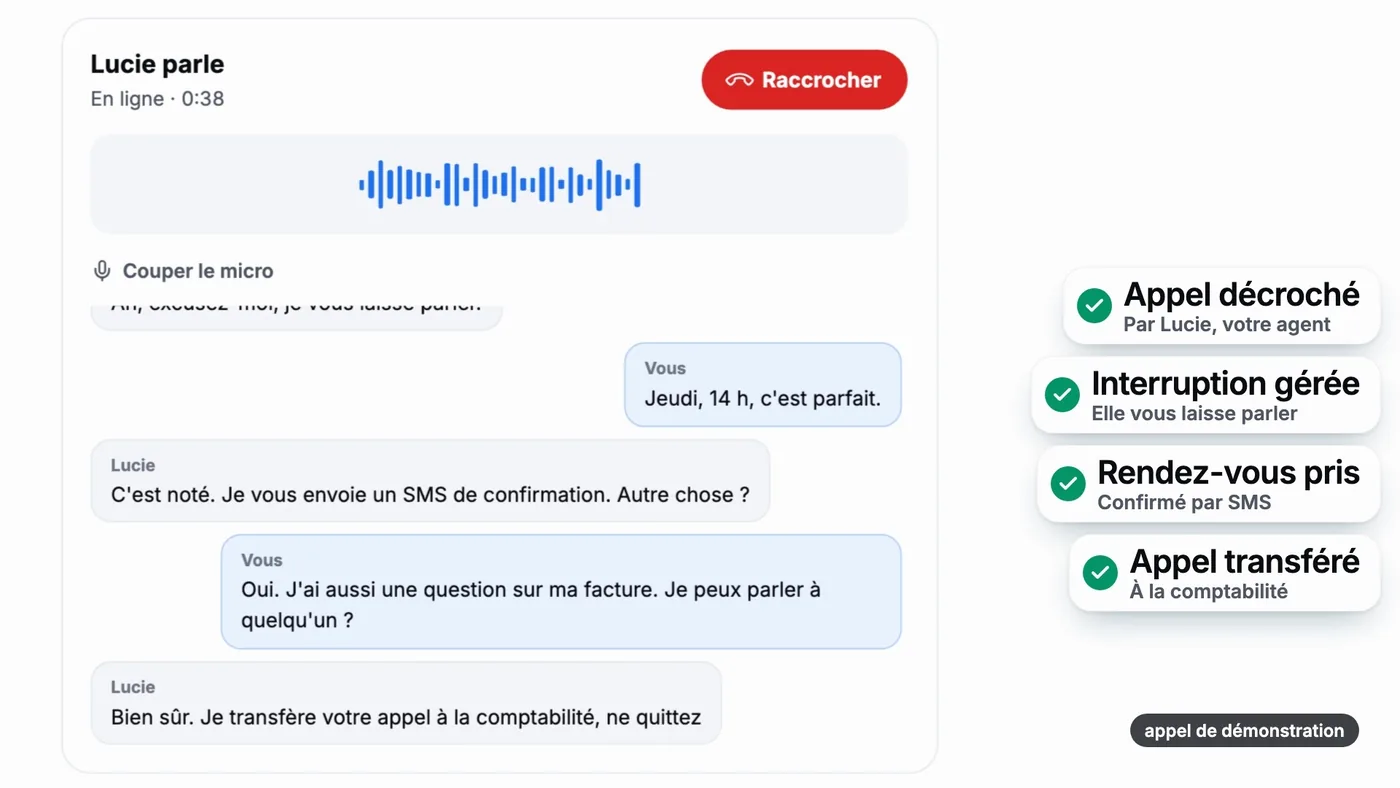
24/7, on behalf of your business, and it never lies about what it is: it says it is an AI if asked.
Your website and your documents. When it doesn’t know, it says so: it never makes up a price, a lead time or opening hours.
Straight into your calendar, with a text confirmation or a link sent by email.
To the right person or department, following your rules. And if the caller interrupts, it lets them speak.
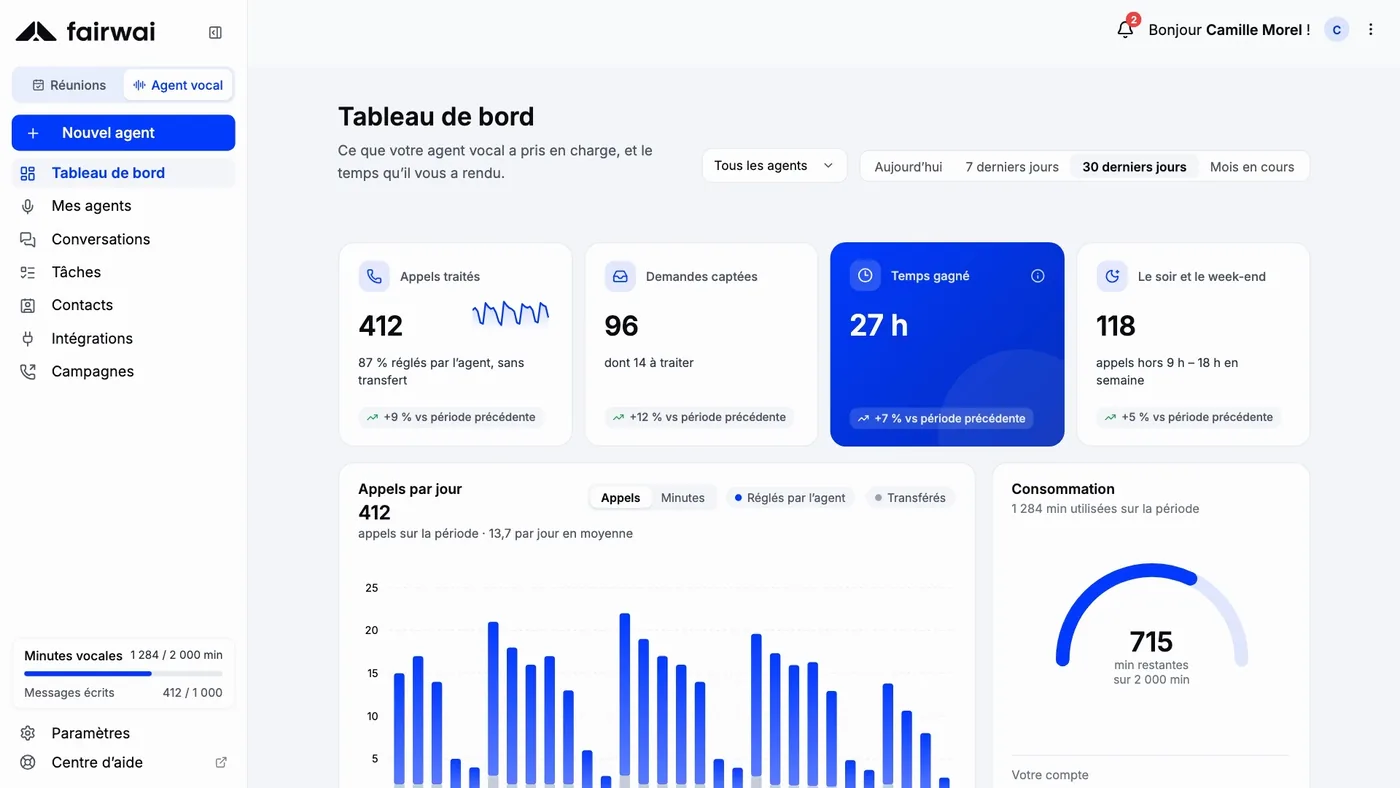
By email, or in Slack, WhatsApp or Google Sheets.
Callbacks, quotes, information: every call lands in “Answered calls,” with its summary.
Calls handled, requests captured, time saved, evening and weekend calls.
HubSpot, Salesforce or Zoho, your calendars, and your other software through a webhook, or a connector built on request.
It takes a few minutes to set up from your router, your cell phone or your carrier’s online account: AT&T, Verizon or T-Mobile. With 3CX, Yeastar, Aircall, Unyc or Sewan, you add the agent as a destination in your phone system.
All compatible phone systemsFrom your website or a few sentences.
You call it from your browser and fix whatever needs fixing.
All of them, or first just the ones that go unanswered.
The summary arrives and the dashboard fills up.
The video: from creating the agent to the first call in 60 seconds
If you can add an analytics tool to your website, you can install Fair Chat.
Fair Chat reads your pages, then you add your documents if needed.
Ask it your customers’ questions and set what it should do: answer, take a request or book an appointment.
One line of code on your website, and it’s available right away.
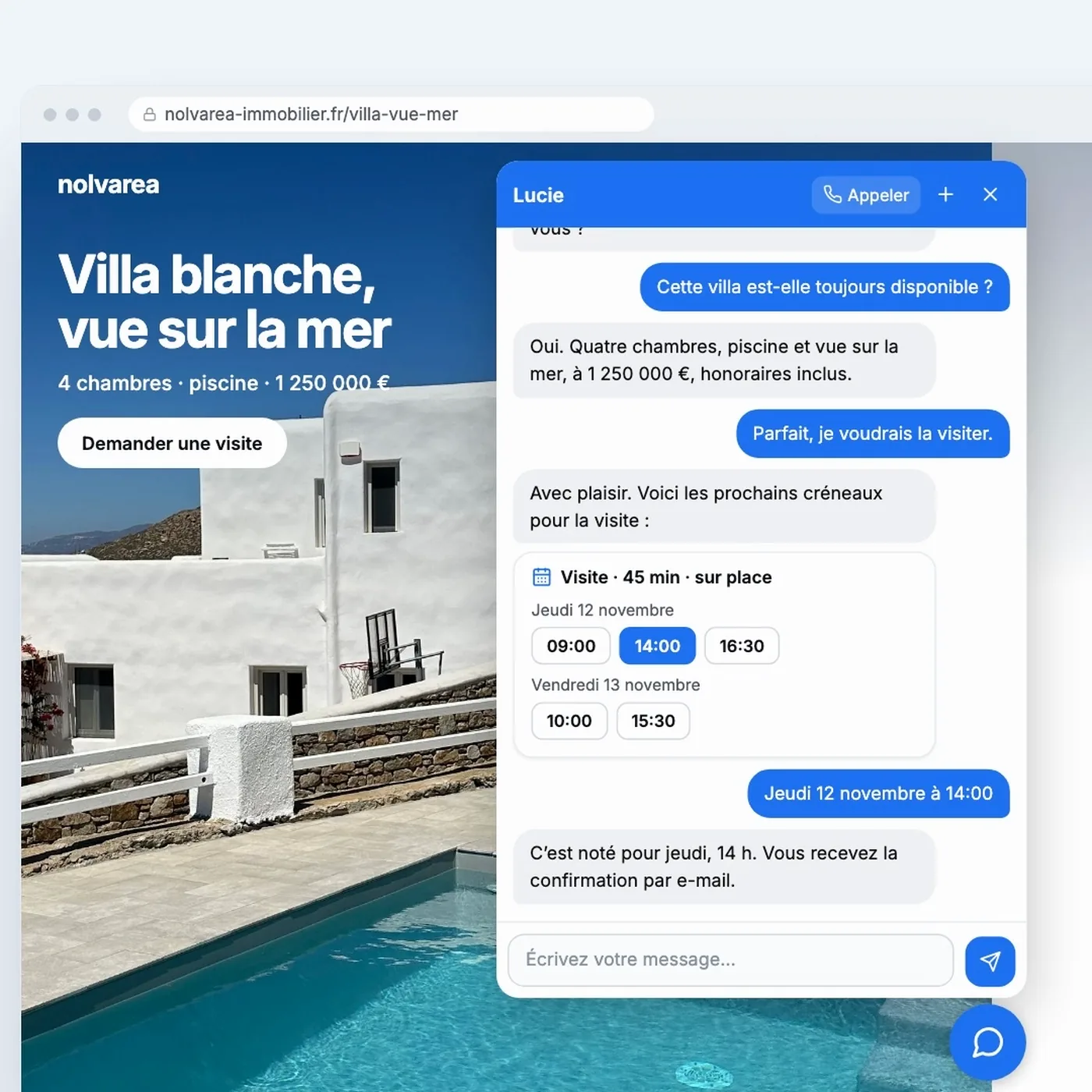
The same knowledge and the same rules as your voice agent.
The visitor picks a time slot, and the confirmation goes out by email.
In one click, the visitor calls your agent and continues the conversation out loud.
And it alerts you when a person is needed.
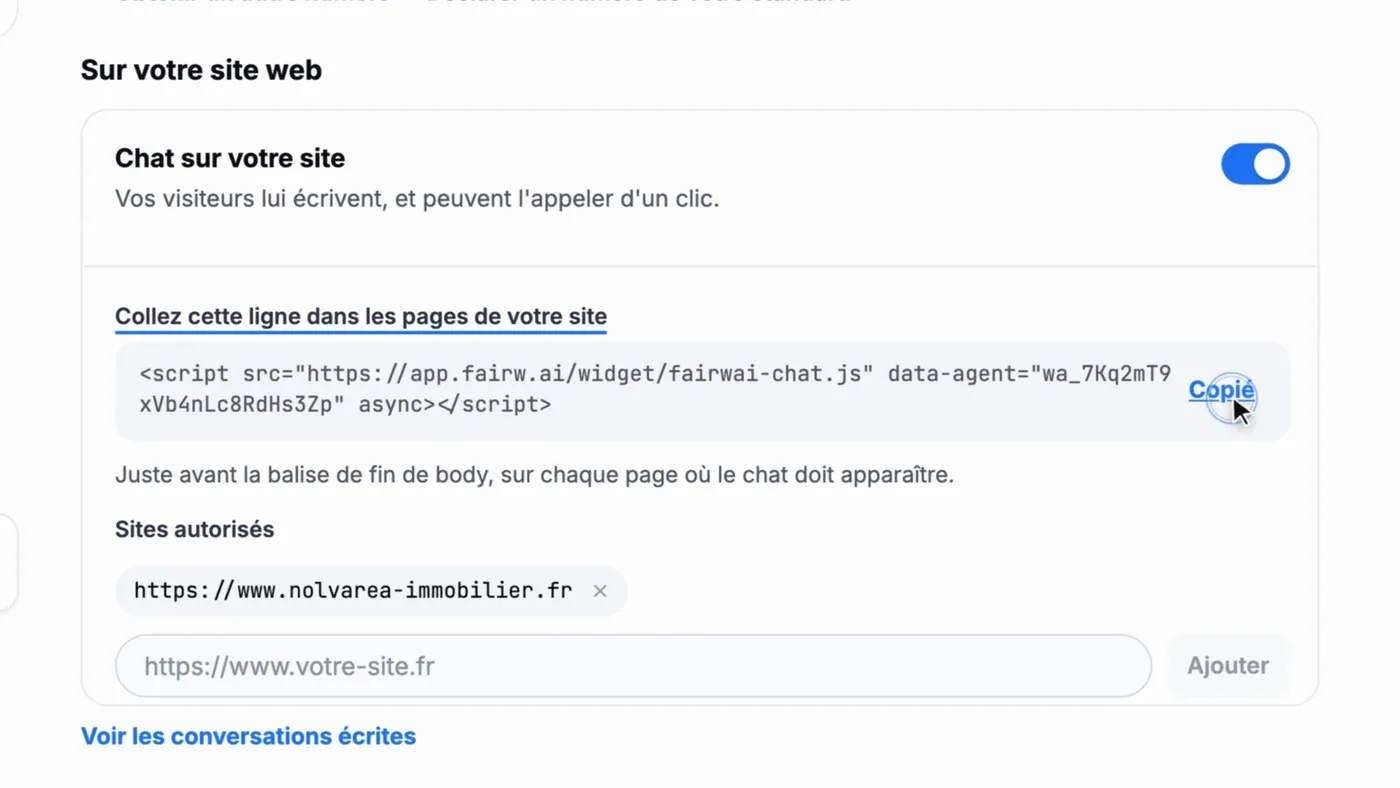
Paste it into your website’s pages, just before the end of the page.
The chat only appears on the addresses you authorize.
You can reread every chat and the requests it took.
On video, in person or on the phone: you keep working the way you always have.
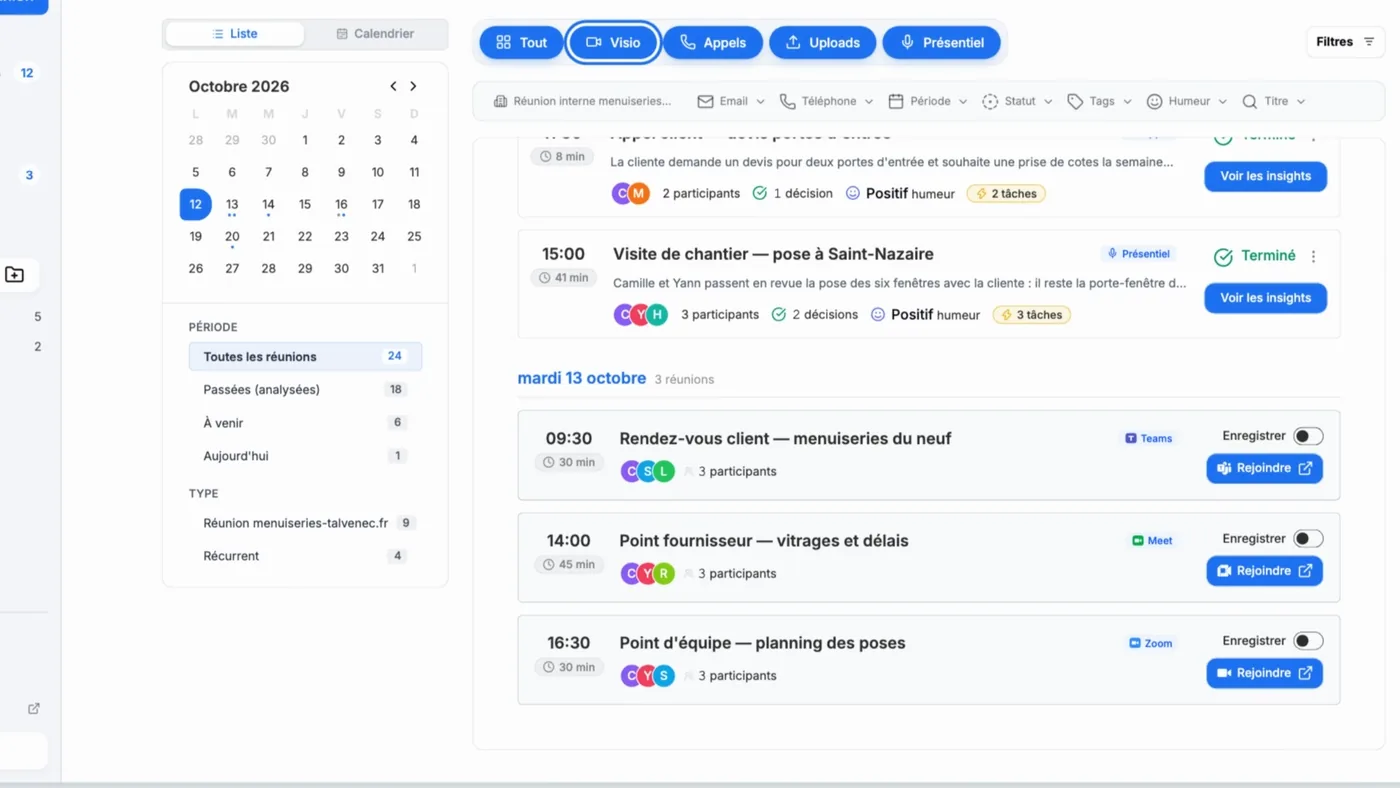
Google Calendar or Outlook: Fair Note sees your upcoming meetings.
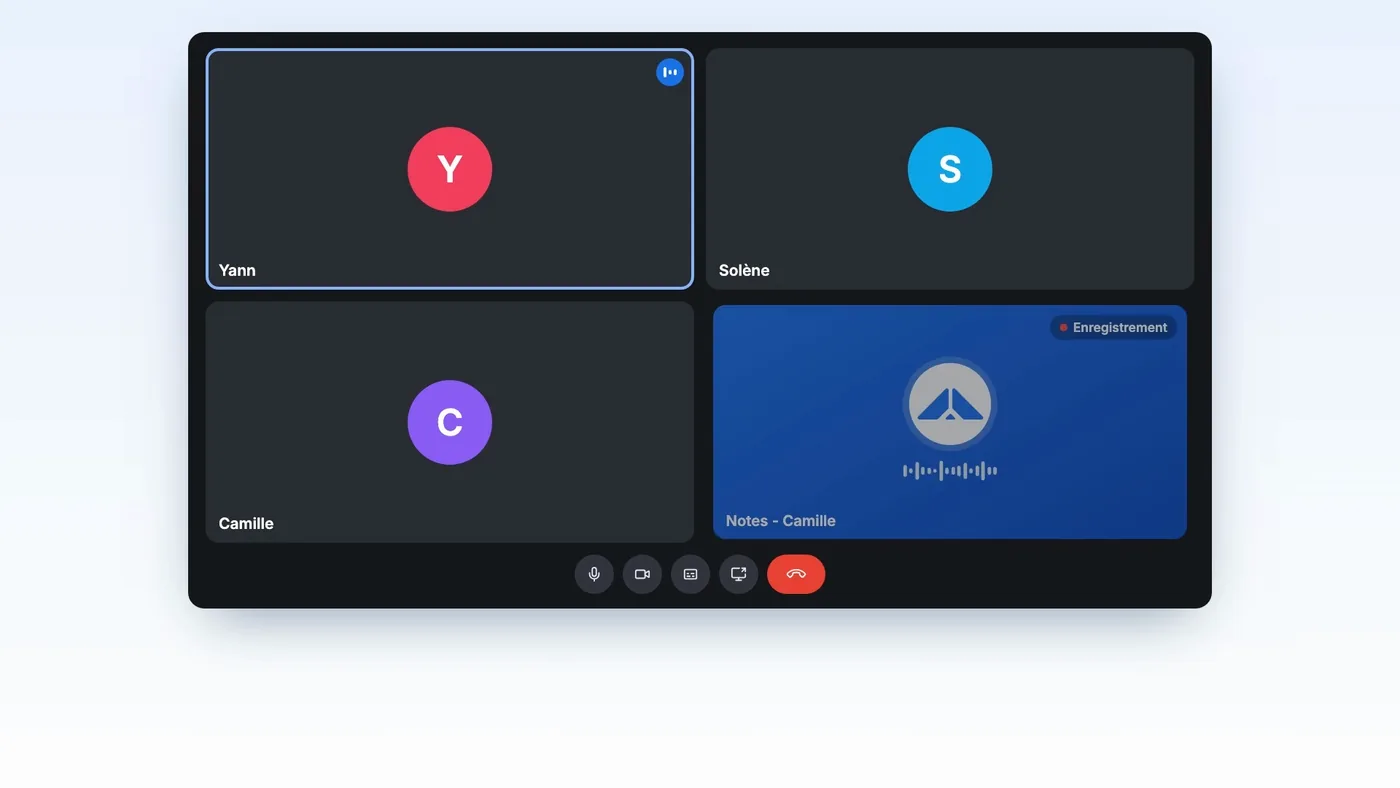
Teams, Zoom, Meet, phone or in person, with a bot, or with the desktop app and no bot in the meeting.
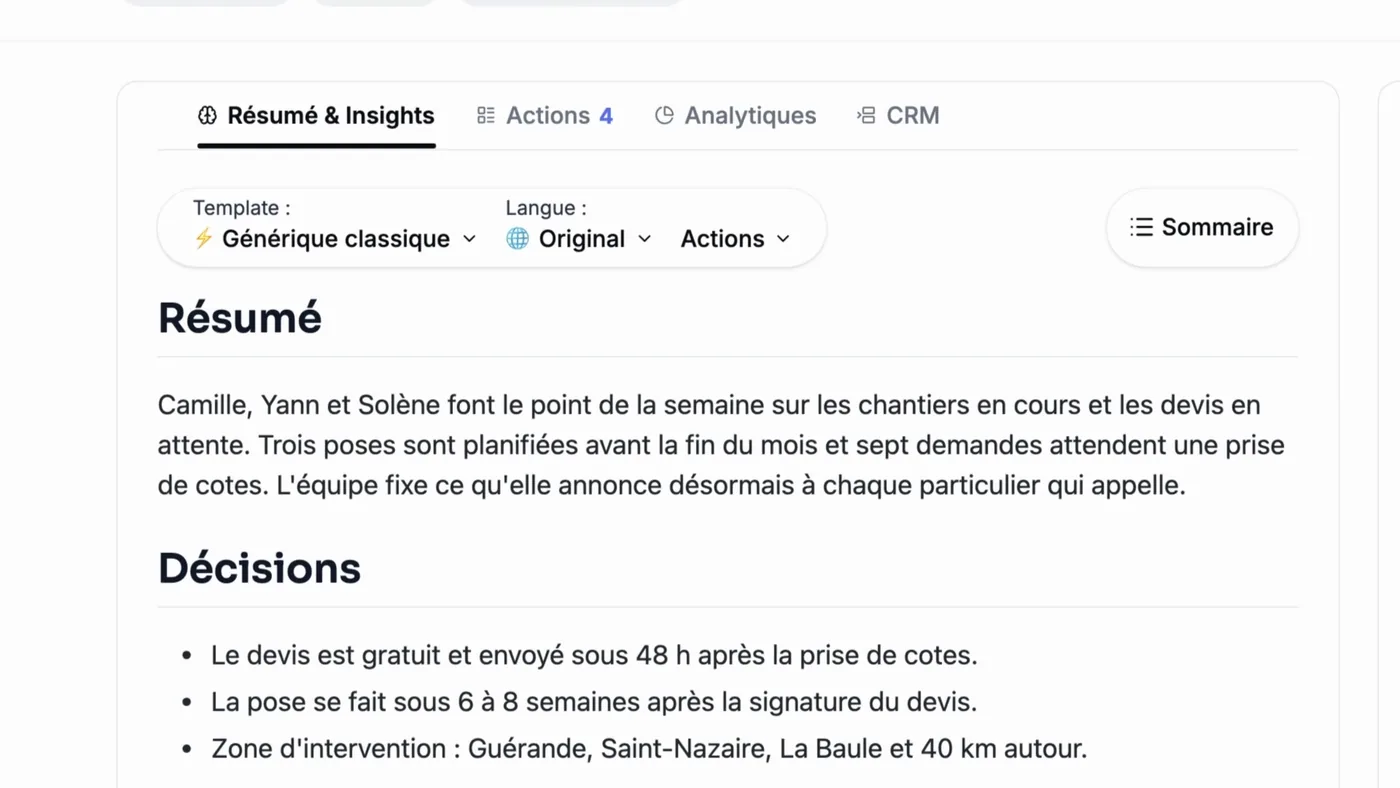
Transcript, summary, decisions and tasks, ready to share.
Summary, decisions, tasks and key points, using the template that suits each type of meeting.
The notes go to the participants, and the video and transcript stay in sync.
Salesforce, HubSpot, Zoho CRM or Odoo: the AI fills in the fields, and you approve before syncing.
Ask a question, and the answer draws on all your meetings.
Calls made with 3CX, Yeastar, Aircall, Unyc or Sewan are transcribed and filed with the contact.
The mobile app records your face-to-face appointments.
No. Creating the agent and setting up call forwarding take no technical skills. You’d only need an integrator for a SIP trunk connection.
No. The agent stays off until you turn it on, and you can start with unanswered calls only. One switch is all it takes to stop everything.
It says so. It answers only from your sources and never makes up a price, a lead time or opening hours. It can then take a message or transfer the call.
Fair Call and Fair Chat speak several languages. Fair Note transcribes and translates your meetings, even when several languages are spoken in the same meeting.
In France and the European Union, in compliance with the GDPR. Your data is not used to train AI models.
Yes. Book a demo with the team, or go through a Fairwai partner if one already manages your phone system.
One minute to create your agent, and you hear it before you turn it on.